Zunaid Khan
Forum Replies Created
-
AuthorPosts
-
 March 6, 2021 at 5:55 am #10458
Hi Bianca
It should default from the supplier setting.
It works perfectly fine on my test company.
After you select a date please press the tab key which should then automatically calculate the due date field.
If you’re working in the training company then please send your login details as a private reply here with a screenshot of the supplier you’re working on and I can check.
If its a live company then please take it up with Sage support.
Kind regards
Zunaid
March 3, 2021 at 4:32 pm #10438You’re welcome Monique.
Sage have come back to me and said they are going to look for a solution.
They provided the attached for importing in the meanwhile (although you should be fine with the previous one which I pulled off the normal demo company).
Kind regards
Zunaid
Attachments:
You must be logged in to view attached files.
March 3, 2021 at 3:13 pm #10435Hi Monique
Apologies I thought the issue was in Lesson 4.
I see the issue
Someone has gone into that demo company and created 1000’s of items of junk data.
I’ll raise this with Sage.
Please use the attached in the meanwhile.
Kind regards
Zunaid
Attachments:
You must be logged in to view attached files.
March 3, 2021 at 11:40 am #10432Hi Monique
Please advise which section of lesson 4 you are working on as well as the page number.
Kind regards
Zunaid
March 3, 2021 at 10:36 am #10429Hi Monique
OK – this looks like live company data.
Try breaking up the file into multiple files, each with less than 2000 rows (e.g 1900 rows per file) and then import each file separately.
Kind regards
Zunaid
March 2, 2021 at 6:19 pm #10419Hi Monique
Please attach the CSV you tried to import.
Kind regards
Zunaid
February 25, 2021 at 7:36 pm #10401Hi Bianca
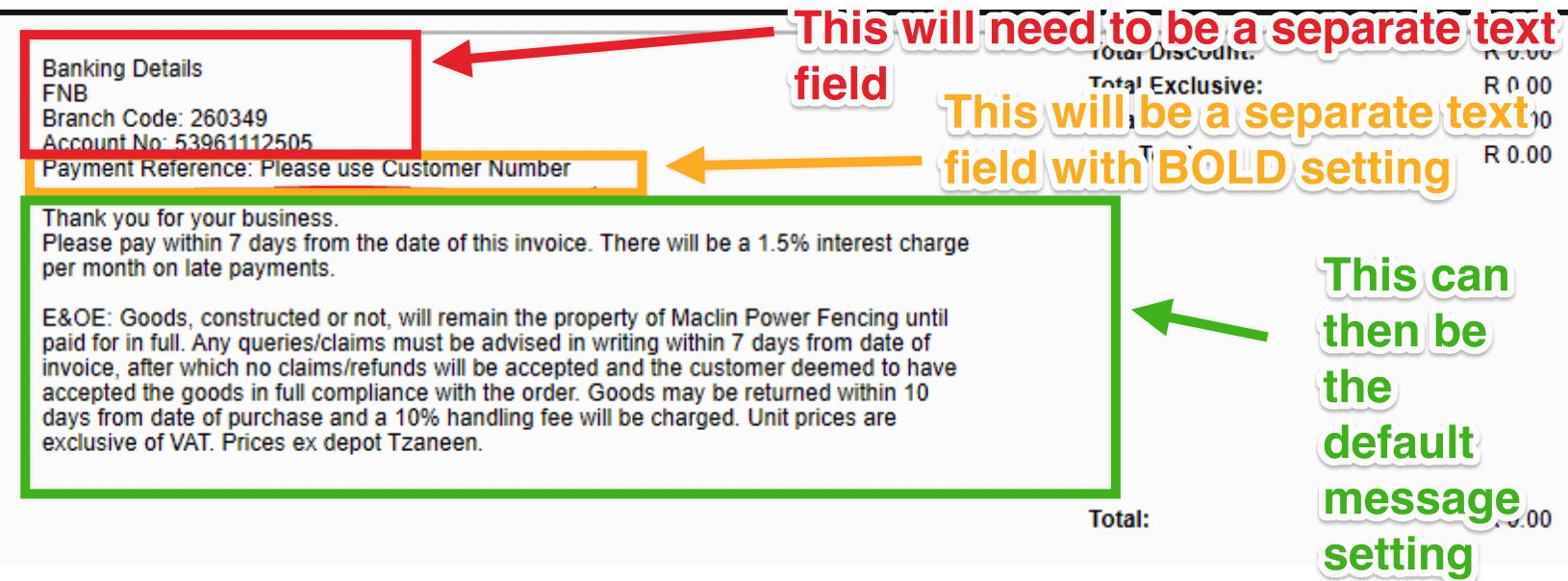
I think that will only be possible if you hard code that as a text field in the custom layout designer.
You can double check that with Sage Support.
But the way it works is that is a variable field that is pulling through.
And the way the formatting works in the Custom Layout Designer is that the whole field has a single set of font settings (including whether it is bolded or not)
See screenshot below:
 February 23, 2021 at 6:42 pm #10379
Hi Monique
I believe this has been resolved but if not please add screenshots of the issue.
Please also note that any support questions should be posted on the forum here i.e. not be sent via Whatsapp, email, etc.
Kind regards
Zunaid
February 21, 2021 at 7:10 pm #10353Hi Bianca
Its a take-on so you simply import the data using the import function. See video below
February 12, 2021 at 7:53 pm #10329Hi Bianca
In a case like this I would then not use the automatic sync but rather export your bank statements to CSV’s and manually import them.
Kind regards
Zunaid
February 11, 2021 at 6:47 pm #10327Hi Bianca
That sounds really strange.
I haven’t come across this.
It’s something you should take up with Sage Support.
Kind regards
Zunaid
February 8, 2021 at 1:47 pm #10322Hi Keyser
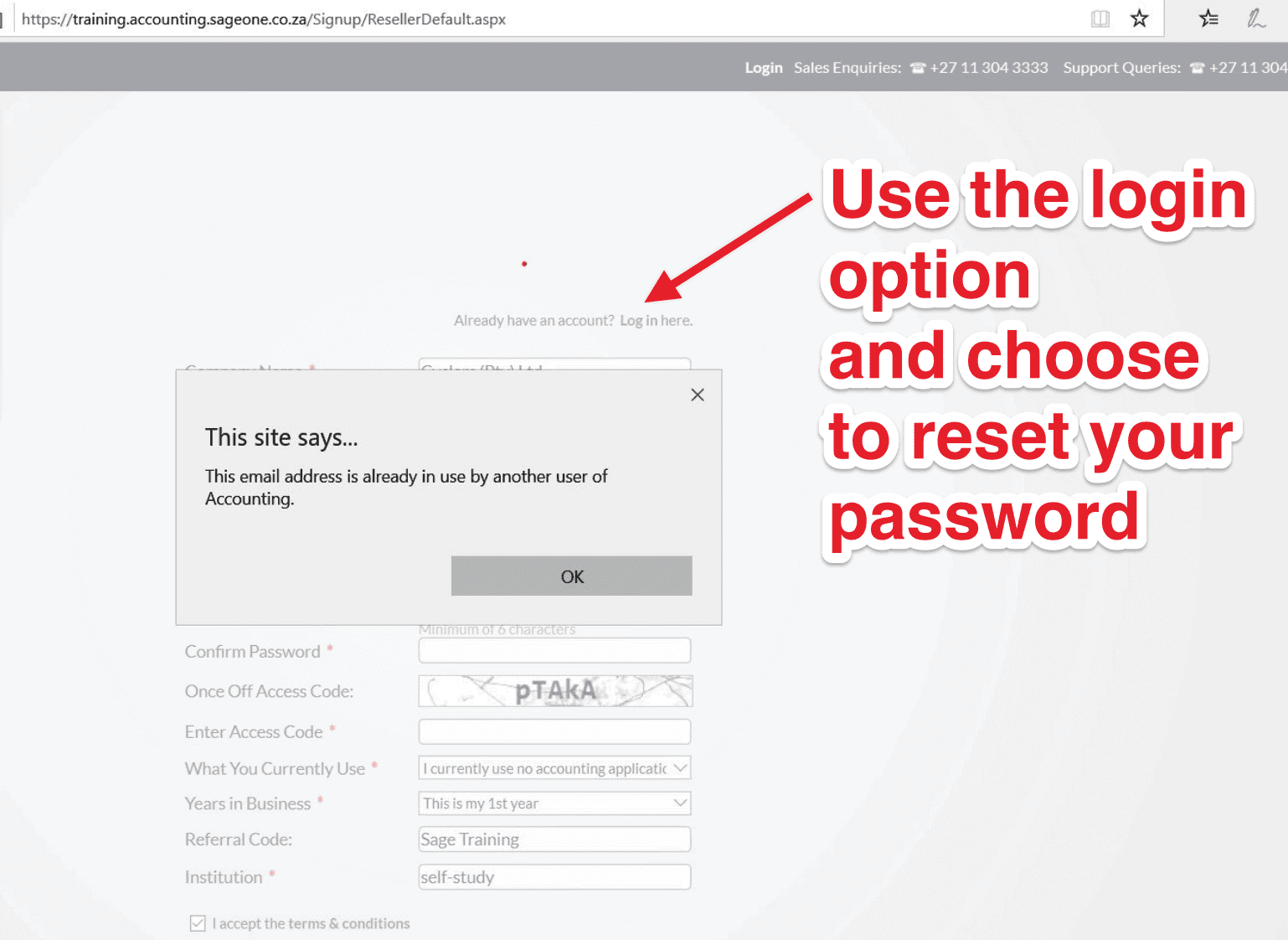
I assume you are using your own email address on that screen.
If so, it means that you previously created an account on the training system using your email address.
Please trying resetting your password.
See screenshot below:
 January 25, 2021 at 10:06 pm #10273
Hi Bianca
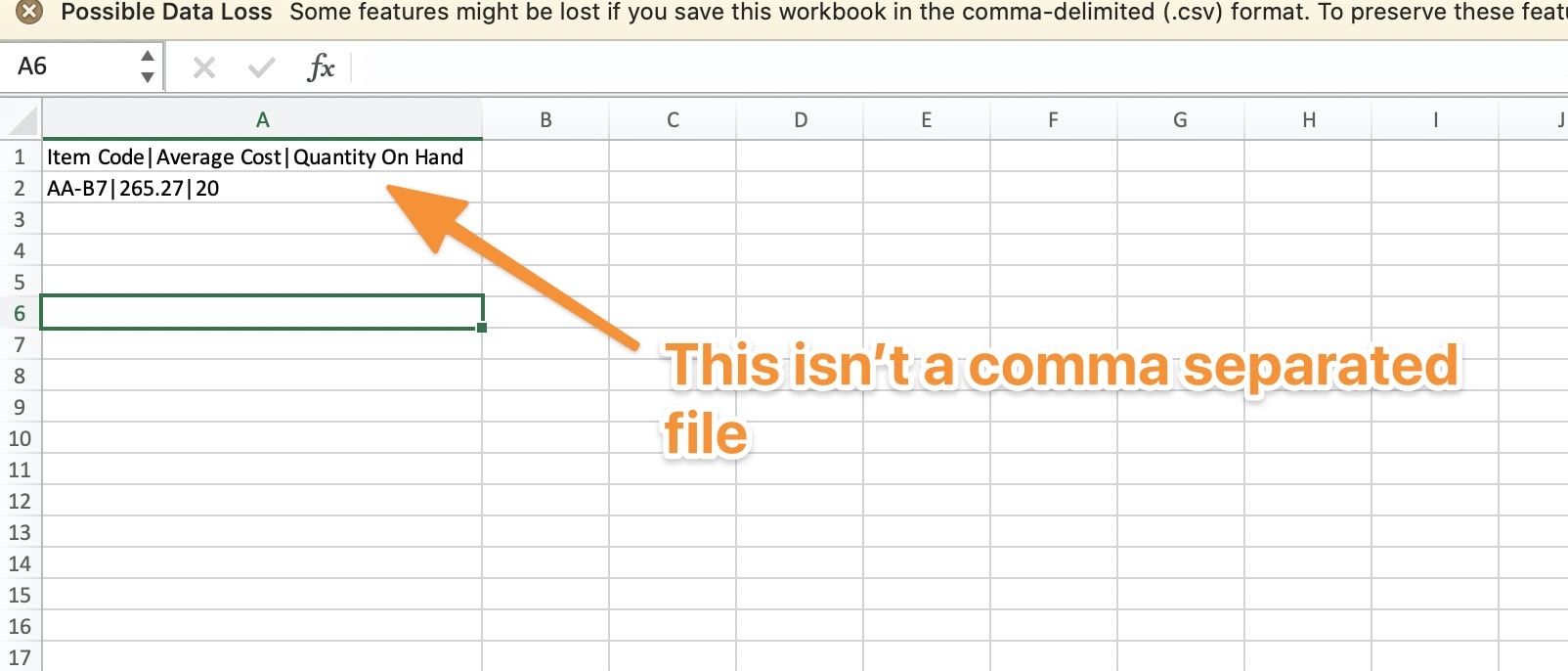
Thats interesting. I haven’t come across this before but it looks like your list separator setting on your computer is the pipe symbol i.e. | instead of a comma i.e. ,
See this article here and change it back to a comma and try again
Please try that and let me know if it resolves the issue.
Kind regards
Zunaid
January 24, 2021 at 12:27 am #10266Hi Bianca
When I open this file on my side, its definitely not a comma separated file.
Please see screenshot below.
 January 12, 2021 at 3:44 pm #10206
Hi Nnegheng
The certificates are issued automatically by Sage immediately after writing and passing the exam.
All certificates are electronic.
If you have any issues accessing the electronic certificates then please contact Sage (their contact details are on the website where you wrote the exam).
Please let me know if you need any further assistance.
Kind regards
Zunaid
December 15, 2020 at 4:24 pm #10094Hi Bianca
I haven’t done something like this.
Its best to check directly with Sage Support online since you’re running it on a commercial version.
Kind regards
Zunaid
December 15, 2020 at 4:03 pm #10089Hi Bianca
Sorry – I don’t understand what you mean.
Can you send a screenshot of how its currently outputting for you as well as a document of how you want it to look (using the same data in both)
Kind regards
Zunaid
December 15, 2020 at 3:50 pm #10084Hi Bianca
You can’t delete it once created.
You can issue a credit note or you can edit the invoice and zero out the line items.
Kind regards
Zunaid
October 26, 2020 at 9:26 pm #9393Hi Lufuno
You go to the educational version page i.e.
https://training.accounting.sageone.co.za/Landing/Default.aspx
Kind regards
Zunaid
October 23, 2020 at 10:58 pm #9386Hi Bianca
There are 3 steps to this.
STEP 1 – Setup the User defined field
See this video:
STEP 2 – Use the Custom Layout Design Program
You can download and install the program from here.
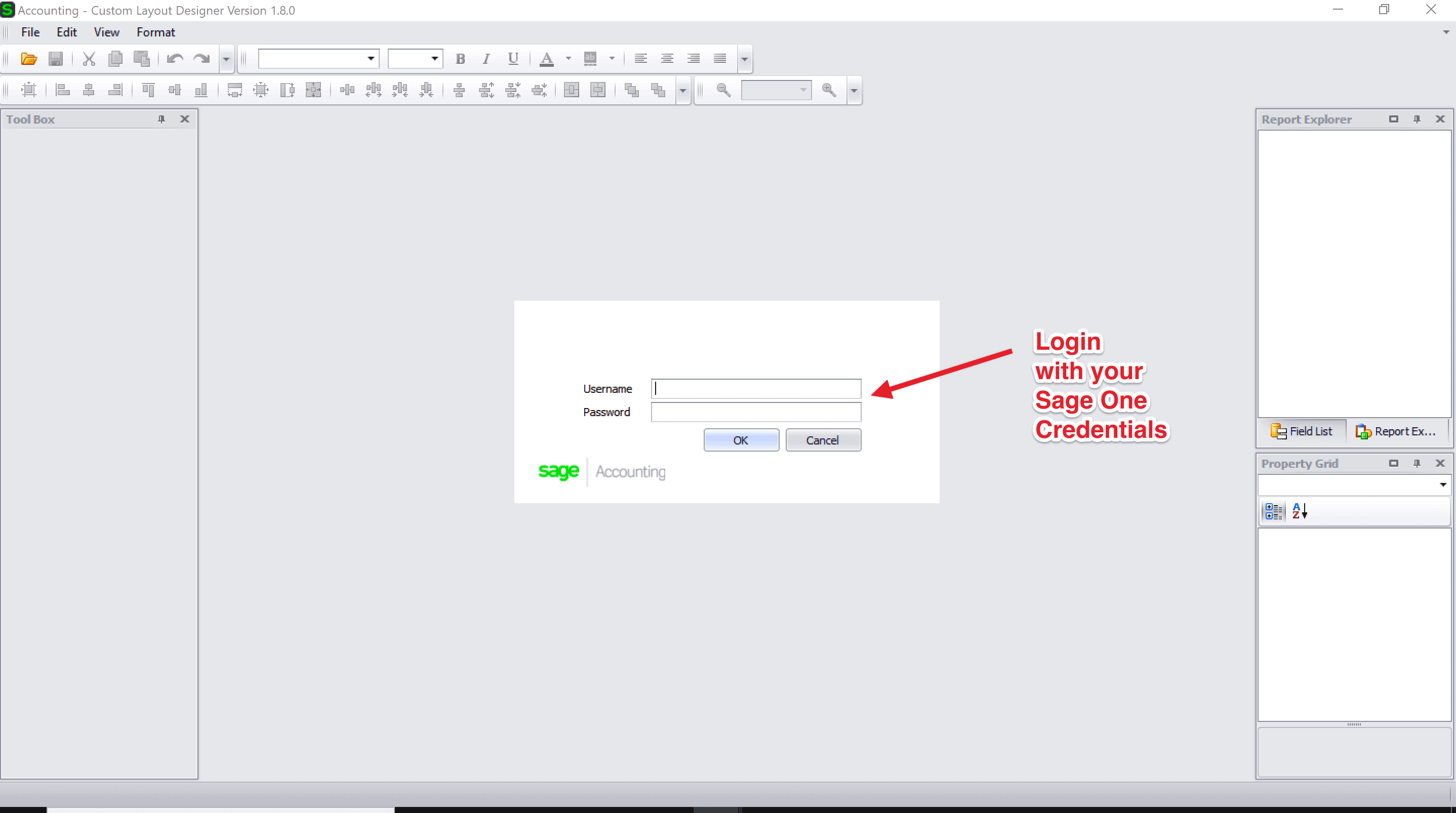
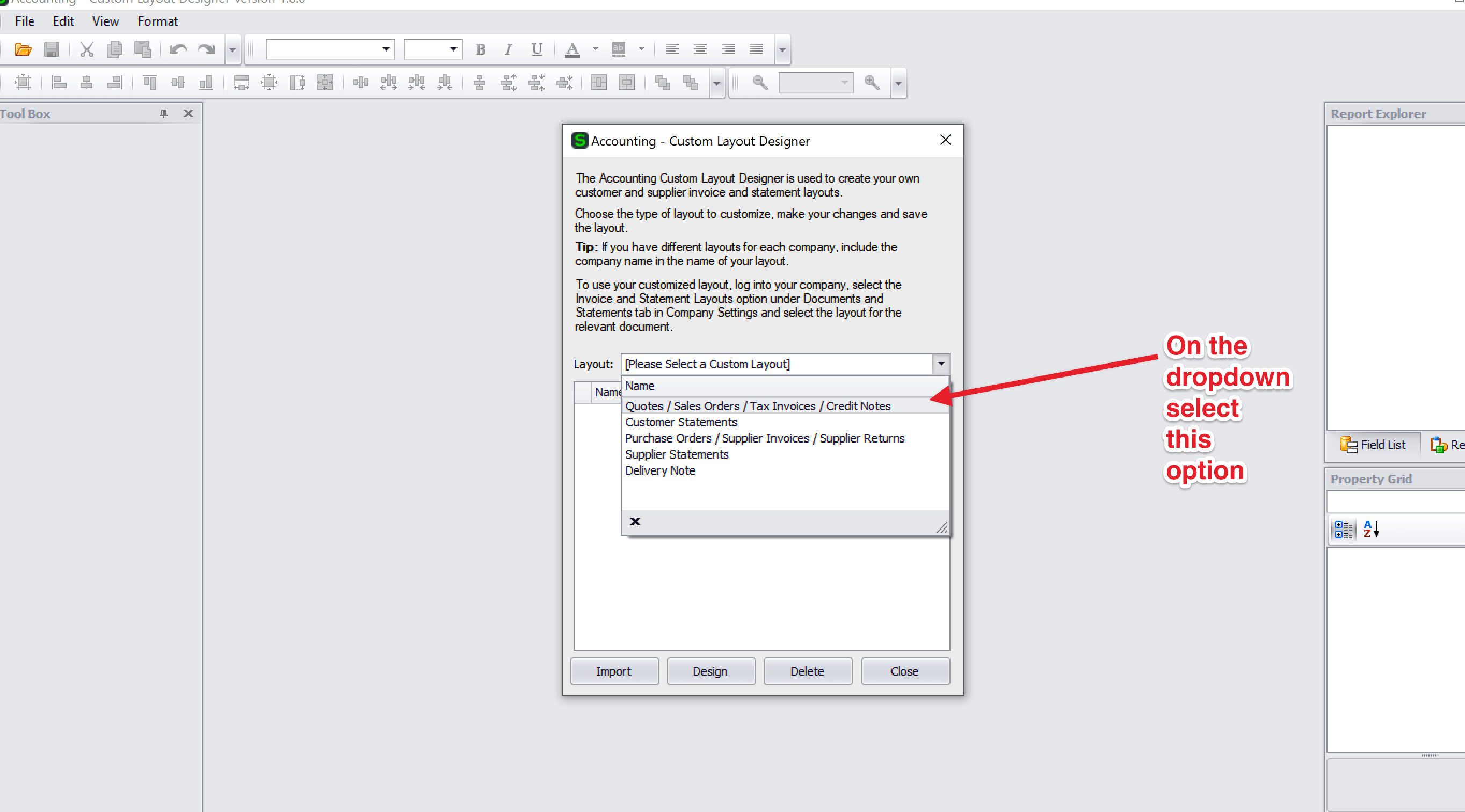
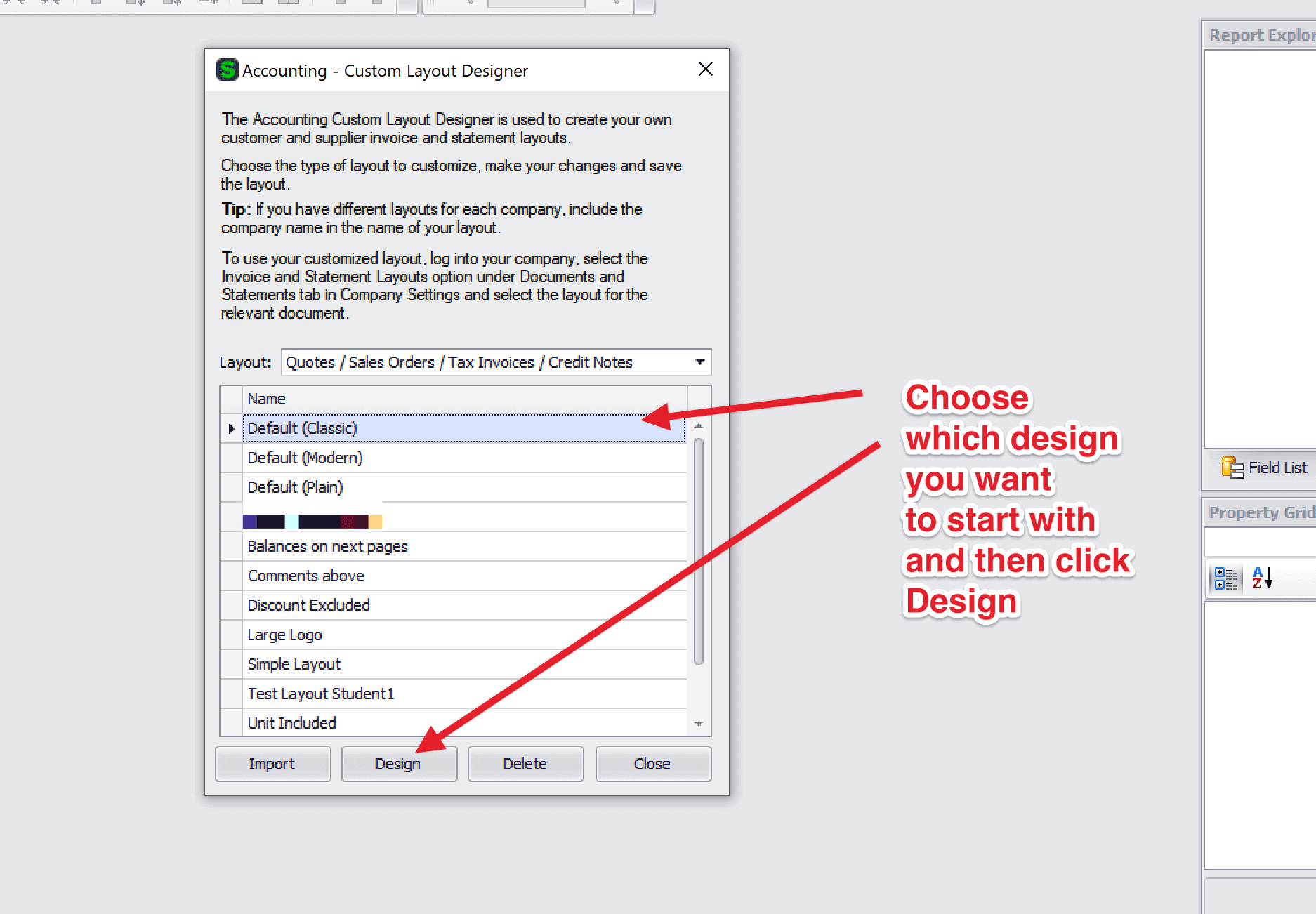
And see this video:
STEP 3 – Change the default layout for Invoices
October 22, 2020 at 2:40 pm #9372Hi Bianca
Not that I’m aware of but please see the following video:
July 19, 2020 at 1:35 am #8967Hi Anlie
Please see the video below and let me know if that resolves the issue:
July 2, 2020 at 6:51 pm #8936Hi Sharon
Sage One isn’t downloaded like Pastel.
You access it in the cloud i.e. using a browser.
You can see the demo company here:
https://accounting.sageone.co.za/Landing/DemoLogin.aspx
In the manual you will find the full instructions on how to create a company on the system for training purposes.
Kind regards
Zunaid
-
AuthorPosts